A Tiny Story Has a Useful Boundary
A tiny video story becomes easier to frame and finish when you choose one change, question, or point of view and let it guide what stays.

How do you keep a tiny video story from turning into a pile of unrelated moments? Give it one useful boundary: a change, a question, or a point of view that tells you what belongs in the frame. A clear boundary helps you make decisions with the phone or camera you already have, then stop recording when the story has done its job.
This is not a rule that every detail must serve a grand message. It is a practical filter for short work. If a shot does not help the viewer notice the chosen change, wonder about the chosen question, or share the chosen point of view, it may be extra. When a draft feels scattered, diagnose the problem before adding more footage.
Find the missing change
Problem: The video shows a place, person, or object, but nothing seems to happen. A mug sits on a table; a bicycle leans by a wall; someone walks through a room. These images may be pleasant, yet the viewer has no reason to stay with them.
Likely cause: The idea names a subject rather than a movement. “My old backpack” gives you a topic, but it does not tell you what will be different by the end. A small story needs only a modest shift: the backpack is packed, emptied, repaired, or finally chosen for a trip.
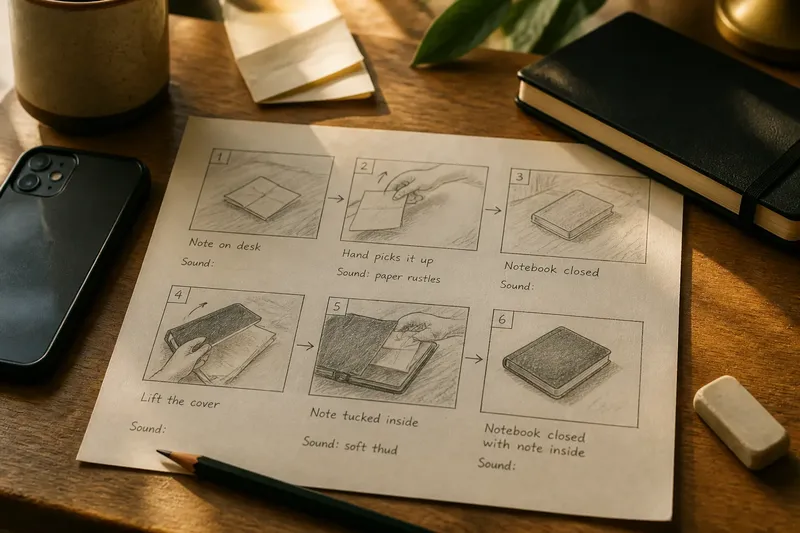
Try this: Write a plain sentence with a beginning and an ending: “The desk starts covered in papers and ends with one clear space.” Then decide what the camera must show for that change to be understood. You might film a hand moving a stack, pause on the cleared patch, and leave out the rest of the room.
If the change is not visible, make it observable rather than more dramatic. A character deciding to be patient can be hard to film; a character setting down a tool and returning to a tangled knot can show that decision through action. Keep the change small enough to capture in the place and time you have.
Reduce a crowded idea
Problem: Your short video introduces several people, locations, backstories, and side events, then ends before any of them feel complete. The cut may be tidy, but it still feels like a compressed longer film.
Likely cause: You are treating every interesting detail as part of the story. A boundary is a sieve, not a box that must hold everything you collected. One clear event can carry more meaning than a quick tour through several events.
Try this: Choose the single change that can be understood without a spoken explanation. List the other interesting details, then ask whether each one changes what the viewer sees or understands. Keep only those that do. An object can remain in the background without receiving its own close-up or explanation.
Imagine you want to film a houseplant leaning toward a window. Your starting point is one bent stem and a pot on a shelf. You turn the pot toward the light, then frame the stem in the same place so the viewer can see its new direction; the expected observable result is a simple before-and-after change. You can leave out the plant’s full care history, the room tour, and other pots unless one is needed to make that turn clear.
Think of the boundary like a picture frame: it does not make the scene less real; it helps the viewer know where to look. The frame can be literal, too. A phone shot of hands, a tabletop, and one important object may communicate more clearly than a wide view filled with unrelated activity.
Choose one question
Problem: You have a subject and images, but the sequence does not build. Each clip feels like another version of the same observation.
Likely cause: The story has no open question for the viewer to carry from one shot to the next. A question gives the images a direction without requiring a complicated plot. It can be as modest as “Will the paper boat float?” or “Which key opens the tin?”
Try this: Phrase the question so a visible result can answer it. Plan an opening that establishes what is uncertain, one or two actions that keep the uncertainty alive, and a final image that resolves it or makes the uncertainty sharper. Do not add a second mystery just because you have another prop or location available.
Keep the wording in your notes, even if nobody says it aloud. When deciding whether to record a shot, ask whether it sets up the question, complicates it, or answers it. A clip that does none of these can usually stay off the card.
Hold one point of view
Problem: A short piece feels confusing even though its events are simple. The camera shows a person’s face, then an object from an angle that seems to belong to someone else, then a wide view that reveals information no one in the scene could see.
Likely cause: The video changes its point of view without a reason the viewer can follow. Point of view is not only a camera angle. It also includes what the audience knows, whose attention guides the sequence, and how close the camera feels to the action.
Try this: Decide whether the viewer is watching from outside the action, seeing through one character’s attention, or receiving a first-person account. You can mix approaches, but make a change legible. For example, a close view of a character noticing a note can lead to a shot of the note; the look gives the new angle a clear reason.
For a first-person phone video, keep the camera’s access consistent. If the unseen narrator is meant to be holding the phone, avoid an unexplained view of that person’s hands doing both sides of an action. If the camera is an outside observer, let it watch the action rather than borrow the character’s eyes without warning.
When does a shot belong?
Should every shot show the main action?
No. A pause, a reaction, or a detail can help the viewer understand the change or question. Keep it when it adds meaning; trim it when it only repeats information already clear.
Can a tiny story include dialogue?
Yes, if the words sharpen the chosen boundary rather than explain unrelated history. A brief line can reveal what a character wants or misunderstands, while a long account may pull attention away from the visible event.
What if the ending feels too small?
Check whether it answers the question or completes the change you set up. If it does, a quiet ending may be enough; adding a surprise can weaken the point if it opens a different story at the last moment.
Can the boundary change during filming?
It can, especially when a real moment reveals a better, clearer story. Before you keep the new direction, check whether the footage already recorded still supports it or whether the shift would leave the viewer without a useful beginning.
Fix weak framing
Problem: The important action happens, but the viewer misses it. A hand disappears at the edge, the key object blends into clutter, or a reaction occurs outside the shot.
Likely cause: The frame was chosen for what it includes, not for the boundary it needs to communicate. A short story has little room for a viewer to search the image for the central detail.
Try this: Before recording, name the one thing the viewer must notice in that shot. Move closer, shift the phone, or clear only the distracting items that compete with it. Check the screen for edges and backgrounds, then rehearse the action once without recording if that helps you see where it will happen.
Do not solve every missed detail by making the video longer. If the same action can be shown more clearly with a closer or steadier view, capture that view instead. If the detail is not necessary for the change, question, or perspective, leave it out.
Stop collecting extra footage
Problem: You keep recording because you are unsure whether you have enough. The phone fills with alternate angles and repeated actions, but the story still feels uncertain.
Likely cause: Recording has become a substitute for making a decision. More material can help when an essential moment is missing, but it cannot choose the story’s boundary for you.
Try this: Review the clips against three questions: Can a viewer tell what changes, what is uncertain, or whose attention guides the scene? Is the important action visible? Does the ending answer the opening? If one answer is no, record only the missing piece. If all three are yes, move to editing rather than searching for a perfect extra shot.
Make a simple keep-or-cut note beside each clip. “Shows the turn,” “sets up the question,” or “repeats the same view” is enough. This gives you a reason to trim without needing editing software beyond the basic tools on a phone.
Use the boundary at the cut
When a short video loses focus in editing, return to the original sentence. Keep clips that establish the starting point, show a meaningful action, or make the result clear. Remove pauses that do not build attention, repeated explanations, and side moments that ask the viewer to follow a different thread.
For a tiny video story, the boundary is not a demand to make every image symbolic or polished. It is a way to choose what the viewer can understand from the footage you can make. The next time a clip feels unfocused, write its change, question, or point of view in one sentence, then let that sentence decide what stays in frame and what can be left behind.